
SplitParent features
One shared place for parenting logistics.
Schedules, messages, money matters and important information. Explore the tools in SplitParent, a co-parenting app created in Australia and available worldwide.
Shared family workspace
Create or join a family and invite a co-parent. Shared child notes, recent activity and pending actions keep everyday information and the items needing attention together.
A shared place for parenting logistics
- Create or join a family workspace
- Invite a co-parent
- Shared child notes, recent activity and pending actions
Calendar & custody
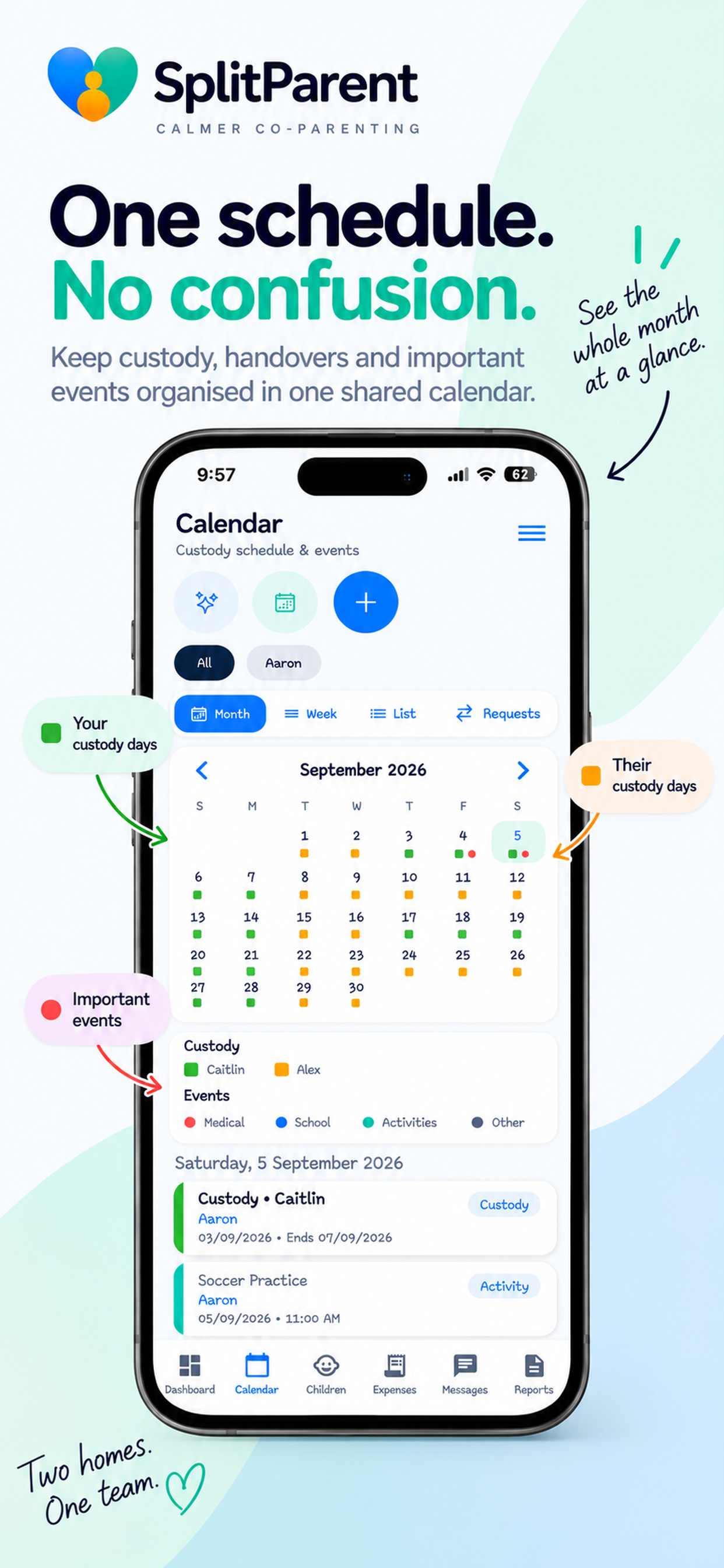
Use month, week and list views for school events, activities, medical appointments and other events. Organise custody manually or with the schedule generator, and keep change requests and reminders with the plan.
Plan the days and the details
- Manual custody scheduling and a custody schedule generator
- Week-about, 2-2-5-5 and 3-4-4-3 patterns; weekly, fortnightly, monthly and custom nights
- Custody change requests, event reminders and changeover reminders
Communication
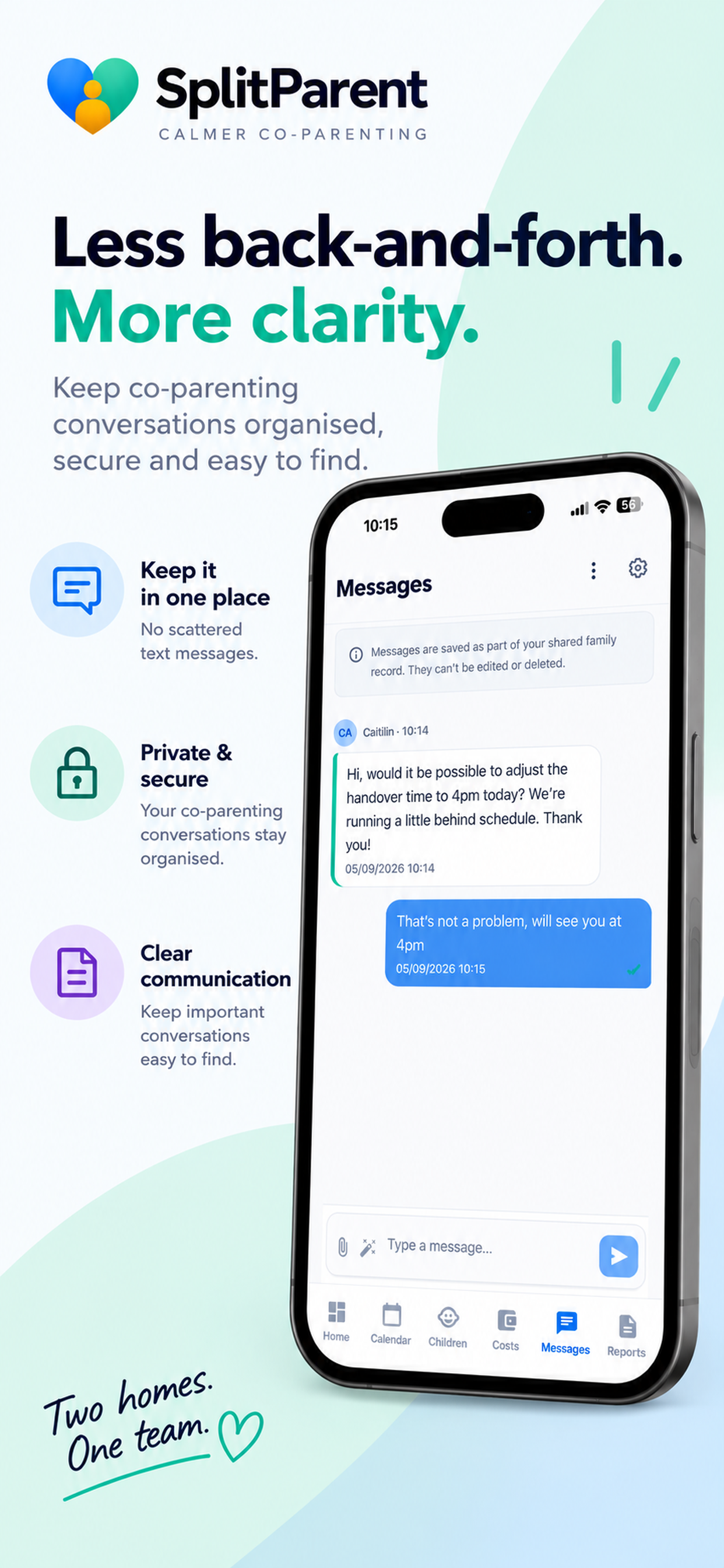
A shared message thread keeps everyday co-parenting communication together. Search messages, see read indicators, add attachments and use the tone helper when preparing a message.
Keep the conversation in one place
- Shared message thread, search and read indicators
- Attachments and message history export
- Message push notifications and tone helper
Shared expenses
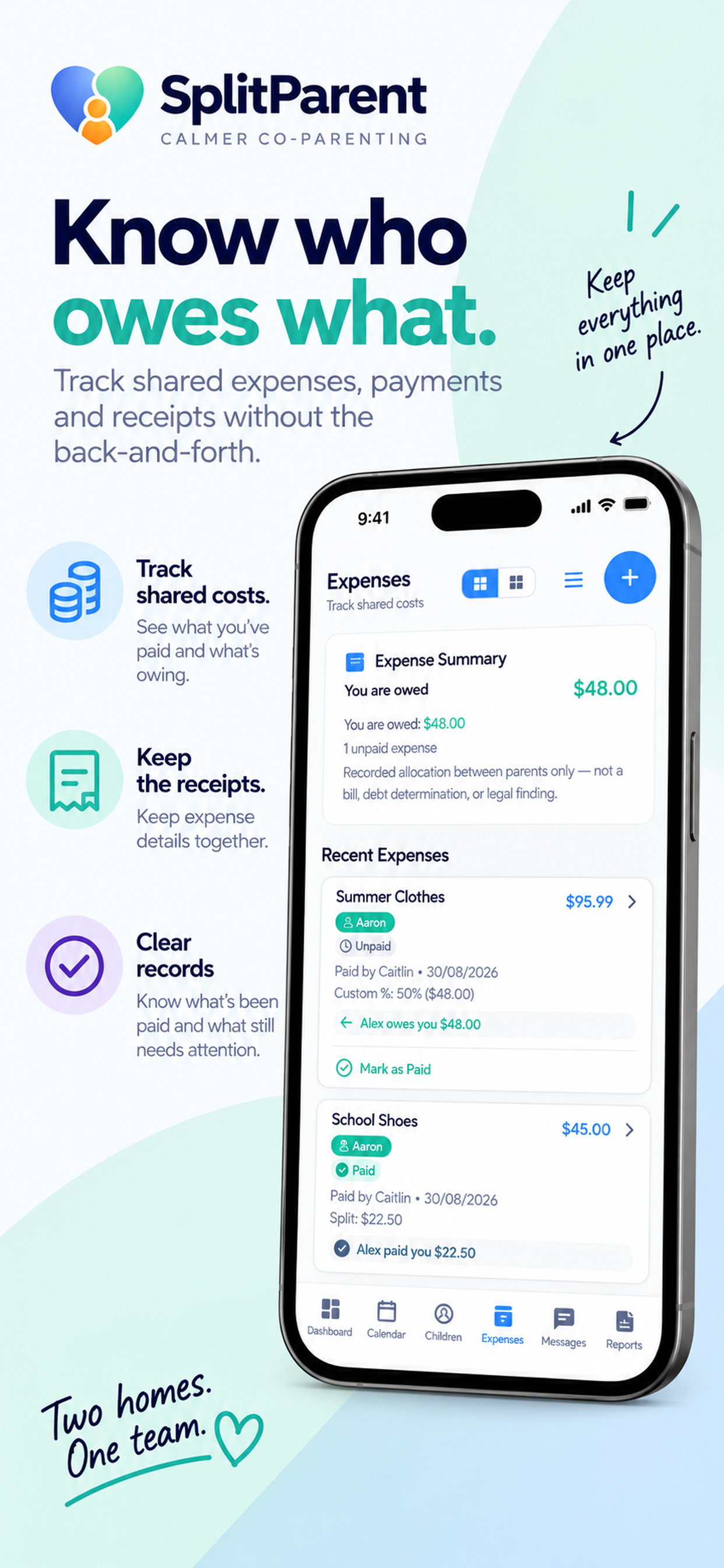
Keep child-related expenses, receipts and payment proof together. Record agreed splits, see summaries, mark expenses as paid and record a dispute when a cost needs further attention.
Organise money matters and their records
- Equal, percentage, custom or full expense splits
- Recurring expenses and expense summaries
- Paid status, disputes, receipts and payment proof
Expense records organise agreed costs. They do not determine legal responsibility for an expense.
Read the shared child expenses guideChildren’s information
Child profiles bring important details into a shared place. Keep a child timeline, medical and school information, documents, photos and child records organised.
Keep their everyday information together
- Child profiles and child timeline
- Medical and school information
- Documents, photos and child records
Documents & records
Keep child documents, photo albums and activity records together rather than scattered across separate folders. Use reports and PDF downloads where supported to organise the information you need to revisit.
Find the information you need later
- Child documents and photo albums
- Activity reports
- PDF downloads where supported
Parenting agreements
Use agreement templates to organise parenting plans and related information. Keep comments and signing or acceptance records with the agreement, and download PDFs where supported.
Keep the arrangements you record together
- Parenting Plan templates and Holiday Schedule agreements
- Financial, Medical, School, Travel and General agreements
- Comments, signing or acceptance records and supported PDF downloads
SplitParent helps organise information. It does not provide legal advice or determine the legal effect of an agreement.
Work through a practical schedule checklistReports
Activity reports and journal reports help organise records for review. PDF downloads are available where supported. Records and exports are organisational tools, not a guarantee of any legal or court outcome.
Bring useful records together
- Activity reports
- Journal reports
- PDF downloads where supported
Private personal journal
Keep a private personal journal and create journal reports. The journal is for personal record keeping; it is not counselling, medical advice or a dispute-resolution service.
Notifications
Notification preferences help you follow the updates relevant to parenting logistics, from messages and custody changes to expenses and documents.
Keep track of everyday updates
- Messages and custody change requests
- Changeover and calendar reminders
- Expense, document and agreement notifications
Account & security
Sign in with email and password, Apple or Google. Manage your profile and preferences, use biometric lock and inactivity sign-out, and find the current account deletion instructions in the Privacy Policy.
Account options that fit everyday use
- Email/password, Apple and Google sign-in
- Profile, preferences, biometric lock and inactivity sign-out
- Account deletion instructions available publicly
Feature access depends on your plan. Compare Free, Plus and Premium pricing, then review the features included with each plan in the app before subscribing.
The real SplitParent app
See the everyday details.
Authentic App Store previews. Open any preview at full size to see the interface in detail.
View full-size preview
View full-size preview
View full-size preview
These are supplied App Store previews showing example app information.
Two homes. One team.
Make room for what matters.
Keep schedules, conversations and everyday details together. Bring a little more organisation to co-parenting.